
Tech for School – Top Technology for Learning and Studying
Using technology for better learning
Tools for school can be a little confusing: What laptop should I get? Do I need anything for that laptop? Do I even need a laptop?
In this post, I’m going to share my favourite tech tools for school – a list I have built over years of teaching. Some items are newer and many are tools I’ve recommended for years.
All of these are ways to leverage technology to get better results from your studies.
For those of you that prefer to see a video on these tools – I have that as well – on my YouTube channel.
Laptop
This has to be the number one question I get every year – from everyone: family, friends, even complete strangers. What laptop should I get for school?
The answer depends entirely on what you are taking in school and the types of software you will be using. If you are in Computer Science or Engineering, then you will need a different computer than if you are in the Arts – or Art!
The best course of action is – ask the School. Specifically, ask the Admissions Office for the specific program you are taking. They often have a list of recommended hardware.
That stated, if I was asked for a standard recommendation, I would go with an Apple MacBook.
Why? Here are my opinions:
- They are well-engineered and have a long life. I still use MacBooks that are almost 10 years old – with most of mine lasting 5-7 years before I start considering replacing them. This is excellent for students who want a machine to last through their school years.
- They have AppleCare as an option. This gives me peace of mind that I can get my system fixed if there is a problem.
- They can run Windows. Yup. You read that right – if you get a Mac with appropriate power, you can use Parallels Software to run Windows on your Mac! This allows you to run almost any software on your laptop, making your Mac act as a universal computer.
Here’s a video on Parallel’s
CAUTION:
As a note, I like to warn my students to be careful when buying a used or refurbished Apple product (unless buying directly from Apple).
Apple systems have protection on them that can sometimes make used equipment impossible to transfer to a new owner if the old owner hasn’t correctly removed them from their account.
I recommend buying directly from Apple’s Educational website – they offer educational discounts and often have back-to-school incentives that can include free items or credits.
Stands
These are items that people often skip – but can make a really big difference – stands. Places to hold your laptop, Phone, or Tablet.
When I study, I like to have my iPhone or iPad next to my laptop for reading eBooks or notes while I work on the laptop. A little stand can go a long way to making you more productive.

Here is a video where I demonstrate using one.
Folding Keyboards
Imagine if you could use your iPhone to take notes, input data, and have a full-sized keyboard when doing it?
Carrying an actual large keyboard might seem like a lot to have in your pack – but what if you could get a full-sized keyboard that was lightweight and folded so that it didn’t take up hardly any room?
That’s the next item on my list – a foldable keyboard.

I’ve recently discovered a company called ProtoArc that makes several model of foldable keyboards that has really impressed me! (I actually have THREE of their keyboards.
They make models that are smaller, models with a built-in numeric keypad that are backlit, and even one with a built-in trackpad. The trackpad version is the one that I carry every day. (the other two are for when I need backlighting or a smaller unit).
You can even turn your phone into a portable study station with these – I’ve used them extensively.
External and Portable Monitors
Having a second monitor can be very useful if your main system is a laptop. Even though laptop screens can be quite large these days, they are still limited and can be a point of frustration if you have a lot of notes, web pages, etc open.
An additional monitor can make a big difference. There are even portable monitors that you can buy if you want to have an extra one no matter where you go.

I don’t always carry a portable monitor, but I do have a larger one at home that I can plug into when sitting down to study/work. This also allows me to have a Mac Mini at home as an extra computer, as I need a monitor for it.
Ergonomic Mouse
This is one of my favorite items that I’ve gotten in the past few years – a Logitech Lift Mouse.

This mouse is extremely comfortable to use for extended periods of time when I’m at school – and anywhere else. It’s been a real game-changing device for comfort and preventing my wrist from getting sore.
Powerbank and Charger
Running out of battery when at school is no fun.
The good news is that it’s easy to carry extra power with you by getting a battery powerbank. These devices store power and, depending on the size can recharge phones, tablets, and even some laptops (or at least a temporary charge).
For these, I recommend getting one that is not only a battery, but also as a plugin that allows you to use it and charge it if you have access to a wall outlet. I use this one from ANKER.

Other Devices
There are a number of other devices I cover in the video – and I have a series of videos on different device videos on my Amazon page.
Some items I always carry are:
- External Hub
- External Harddrive
- Quality Cables
- A small Tripod for my iPhone
- Noise Cancelling Headphones
External Hub
An external hub is very useful if you ever need to connect to a monitor or projector at school. I recommend getting one that also lets you connect to a wired network – like this one from Targus

This has been something I’ve used pretty much every day at school – but I’m also teaching. As a student, you’ll need to think about whether you need the extra connections or not.
External Hard Drive
Having some extra storage can be helpful – especially if you have a lot of media files or virtual machines that you need to work with (I have some videos on my YouTube channel about that).
If you only have some small files – then using a Cloud service might be sufficient.
Quality Cables
This is important – you don’t want to have poor-quality cables. Especially if you are using them to power devices. Make sure any cables you purchase can handle your power and data requirements.
Conclusion
These are just a few of the items that I recommend to my students and think help them in their studies. There are, of course, some extra items that I see from time to time, but these are a great start.
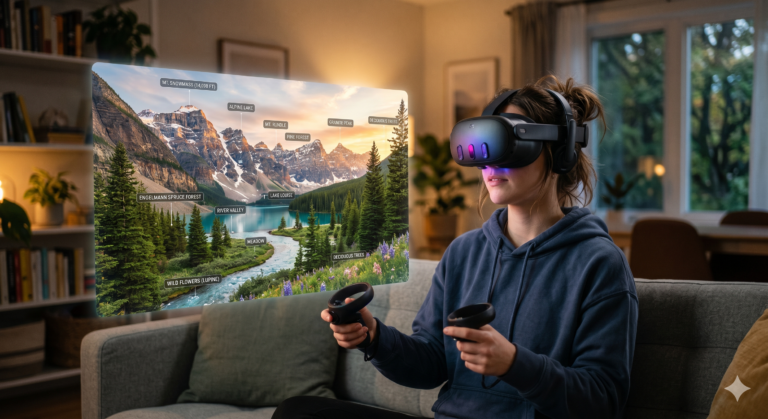
Something that I’m experimenting with (but definitely outside of “normal”) are the new VITURE Luma Pro XR Glasses. These XR Glasses are normally seen as something for gaming or media consumption, but I’ve been using them every day as a private workspace.
This is something I think might be a future post or video on my YouTube channel – using them to create a private study “room” that allows for concentration and focus. That’s another day though.